How to Check Google Ranking for Your Keywords
By seodada · Published
Overview
To check Google ranking for your keywords, you can use Google Search Console for free data on the queries your site already appears for. For live, location-specific positions, a dedicated SERP checker shows the results page as it stands right now. This article walks through both methods step by step, with the common mistakes to avoid.
Knowing where you rank is the first step toward better search visibility. Here is how to find that answer with confidence.
Why tracking keyword rankings matters for your SEO
Monitoring keyword rankings shows you where your site is visible, where it is missing, and if your work pays off. Without that data, SEO is guesswork. You might update a page for weeks and never know if its position moved.
Search now serves two audiences. The first is the results page that people click through. The second is the AI answer that quotes sources directly. Checking rankings helps you understand the first audience. It also gives you a baseline for the second. seodada users often tell us that seeing what is actually ranking lets them focus effort on pages that bring in real visits.
Step 1: Use Google Search Console for free insights
Google Search Console shows how your site performs in search, including every query that brings it impressions. For most sites, this is the fastest free way to see which keywords you already rank for.
Open the Performance report in GSC and select the date range you want to review. The table lists queries, pages, and countries. Each row includes clicks, impressions, click-through rate, and average position.
What to watch for: Impressions, clicks, and average position
Impressions tell you how often your page appeared in results for a query. Clicks tell you how often someone chose it. Average position shows roughly where your page sat in those results. A query with high impressions but few clicks often means the page ranks but does not attract the click.
Positions 8 to 20 are a useful range to inspect. According to rhillane.com, Google Search Console shows every keyword your site currently gets impressions for, and this range often hides the easiest ranking gains. Pages sitting just off page one can often move up with a targeted update.
How to filter and export your keyword data
Use the filter option to narrow the query list by word or phrase, country, or device. Export the table to a spreadsheet when you need to compare periods or share results with your team.
GSC reports average position across all impressions in the period. It is a trend signal, not a single exact rank for one search.
Step 2: Check live SERP rankings with a dedicated tool
GSC shows what has already earned impressions. It does not show the full results page for a keyword in a specific city. For that, a dedicated SERP checker gives you a live snapshot.
seodada's SERP ranking tool crawls the live results page for any keyword and location. It shows the page as the search engine returns it. You can read more on the SERP Checker feature page.
What to watch for: Organic listings and People Also Ask
The organic listings show who holds the top positions now. Start with your domain, then review the sites ranking above you. Their content often reflects what the searcher wants.
The People Also Ask questions show the follow-up questions Google surfaces around your keyword. Answering them well can add relevance for the same topic.
Comparing results across different locations
Rankings change by place. A page that ranks first in one city may sit on page two in another. A good SERP tool lets you compare two markets side by side. This matters most for local businesses and brands selling in several regions.
Step 3: Track your website's full keyword footprint
Some keywords you rank for are ones you never targeted. A domain analysis tool reads all the terms a domain ranks for and shows what is really driving traffic.
seodada's Domain Analytics profiles any domain with its authority, estimated traffic, and a full list of ranked keywords. Each keyword comes with its position and search volume. Point the tool at your site or a competitor to see the complete footprint.
What to watch for: Authority, estimated traffic, and keyword list
Authority gives a single view of a domain's overall strength. Estimated traffic shows roughly how many visits search brings in and which way that number is moving. The keyword list shows the exact terms doing the work.
Identifying unexpected ranking keywords
Scan the list for terms you did not plan for. These often reveal what your audience searches. A page ranking for an unplanned query may need a dedicated update or a new section. Unexpected rankings can also flag content drawing traffic to the wrong page.
Common mistakes when checking keyword rankings
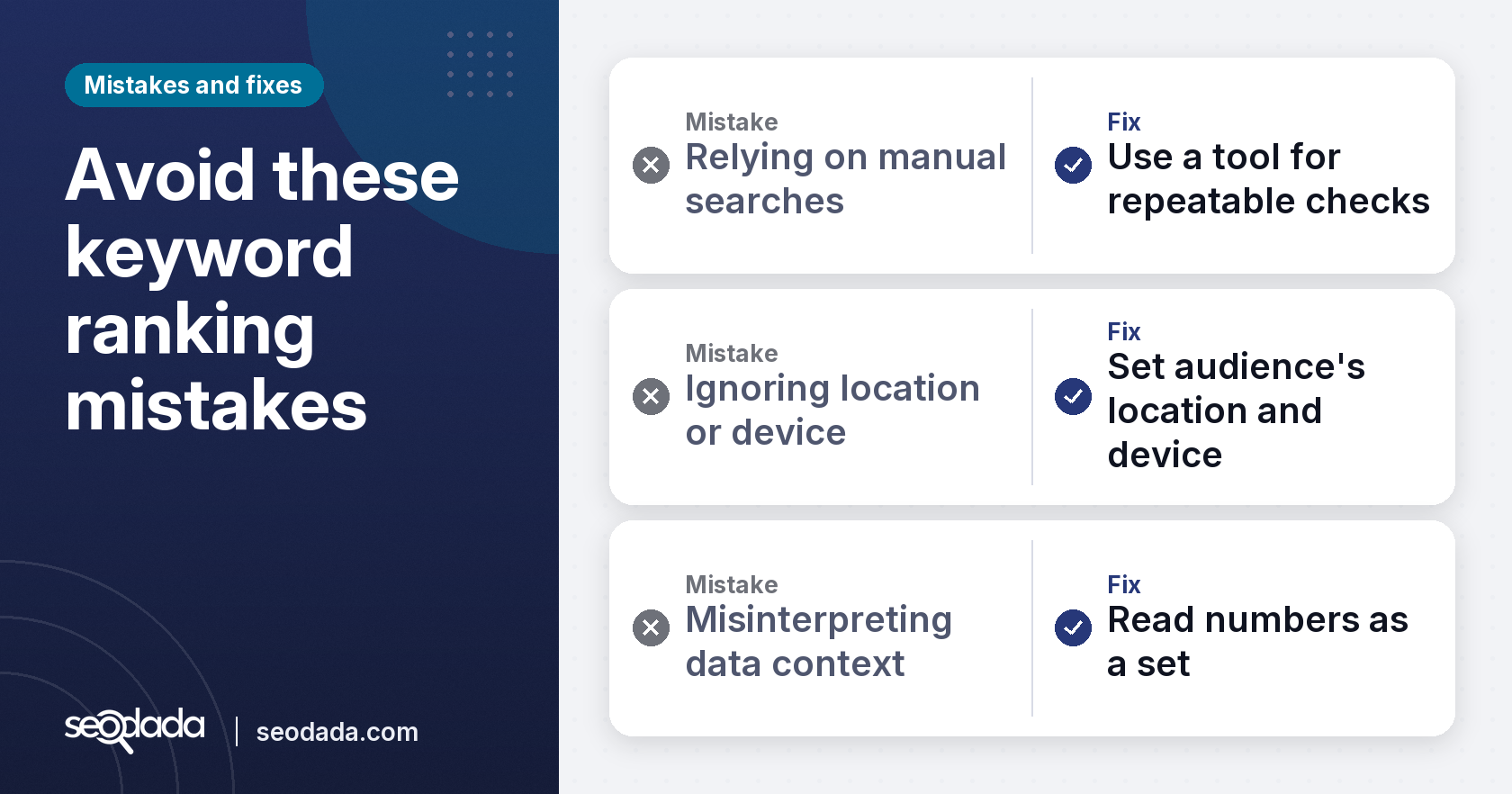
Most ranking errors come from the method, not the data. Knowing the common traps helps you read results correctly.
Relying only on manual searches
Typing a keyword into Google and scrolling for your site may seem simple. Your results depend on your location, search history, and device, so one manual check gives one data point, not a trend. Use a tool for repeatable, comparable checks.
Ignoring location and device variations
Results shift by city, country, and device. A ranking you see on your laptop may not match what a mobile user sees elsewhere. Set the location and device that match your audience, and check more than one market if you serve several.
Misinterpreting data without context
Impressions are not the same as clicks. A page can appear often and still earn few visits if its snippet does not invite a click. Average position combines many searches. Read the numbers as a set, and check the page itself before deciding what to change.
Key takeaways
- Google Search Console is a free source for the queries your site already gets impressions for.
- A live SERP checker shows the current results page for any keyword and location.
- A domain analysis tool reveals the full set of keywords a site ranks for, including unplanned ones.
- Manual searches give one snapshot, so rely on repeatable checks by location and device.
- Read impressions, clicks, and position together rather than alone.
Conclusion
Checking Google ranking starts with free data from Google Search Console and moves to live results when you need location-specific detail. Add a domain analysis view to see the full keyword footprint, and avoid the common traps of manual checks and misread data. With that routine in place, you can see where you stand and decide what to improve next.
Sources
FAQs
How to rank a website on Google search?
Start by choosing keywords your audience searches. Then create pages that answer those searches clearly. Track your positions over time and update pages just off page one. Ranking improves gradually, so consistent work matters more than a single change.
What is a SERP checker?
A SERP checker is a tool that shows the search engine results page for a keyword as it appears right now. It lists the organic results and often the People Also Ask questions. Using one with a location setting helps you see how results differ by market.
Is 75 a good SEO score?
A SEO score is only meaningful relative to the tool that produced it and to your competitors. A good score depends on your goals, but the most useful comparison is if your score improves over time. Focus on the specific issues the score points out.
Who is no. 1 in the Google search list?
The top spot changes by keyword, location, and device, so no single site holds it for everything. To find out who ranks first for your term, run a live SERP check in the market you serve. The answer may differ from what you see in your own region.
How often should I check my keyword rankings?
Check core keywords weekly or monthly, depending on how fast your content changes. Daily checks rarely help unless you track a major launch. Keep comparisons fair by using the same location and device each time.
Can I check keyword rankings for competitor websites?
Yes. A domain analysis tool can show a competitor's ranked keywords, their estimated traffic, and their authority. Comparing those lists with your own helps you find gaps and shared terms worth targeting.
Frequently asked questions
How to rank a website on Google search?
Start by choosing keywords your audience searches. Then create pages that answer those searches clearly. Track your positions over time and update pages just off page one. Ranking improves gradually, so consistent work matters more than a single change.
What is a SERP checker?
A SERP checker is a tool that shows the search engine results page for a keyword as it appears right now. It lists the organic results and often the People Also Ask questions. Using one with a location setting helps you see how results differ by market.
Is 75 a good SEO score?
A SEO score is only meaningful relative to the tool that produced it and to your competitors. A good score depends on your goals, but the most useful comparison is if your score improves over time. Focus on the specific issues the score points out.
Who is no. 1 in the Google search list?
The top spot changes by keyword, location, and device, so no single site holds it for everything. To find out who ranks first for your term, run a live SERP check in the market you serve. The answer may differ from what you see in your own region.
How often should I check my keyword rankings?
Check core keywords weekly or monthly, depending on how fast your content changes. Daily checks rarely help unless you track a major launch. Keep comparisons fair by using the same location and device each time.
Can I check keyword rankings for competitor websites?
Yes. A domain analysis tool can show a competitor's ranked keywords, their estimated traffic, and their authority. Comparing those lists with your own helps you find gaps and shared terms worth targeting.