How to Check Meta Titles and Descriptions for Any Website?
If you are working on SEO, meta titles and descriptions are one of the first things you should review. They affect how your page appears on Google and whether people click or skip. That is why using a meta tag analyzer is such a simple but important step when you are auditing any website.
In this blog, I’ll explain what these tags mean, how to check them using SEO Dada, and the common mistakes you should avoid.
What Is a Meta Title and Meta Description?
A meta title is the main title that usually shows on Google when your page appears in search results. It tells users and search engines what the page is about in a quick line.
A meta description is the short summary that often appears below the title. It gives users a reason to click by explaining what they will get from that page.
Together, these are part of your page’s SEO signals. A good meta tag checker helps you confirm they are present, readable, and aligned with the actual content.
How to Check Meta Titles and Descriptions Using SEO Dada
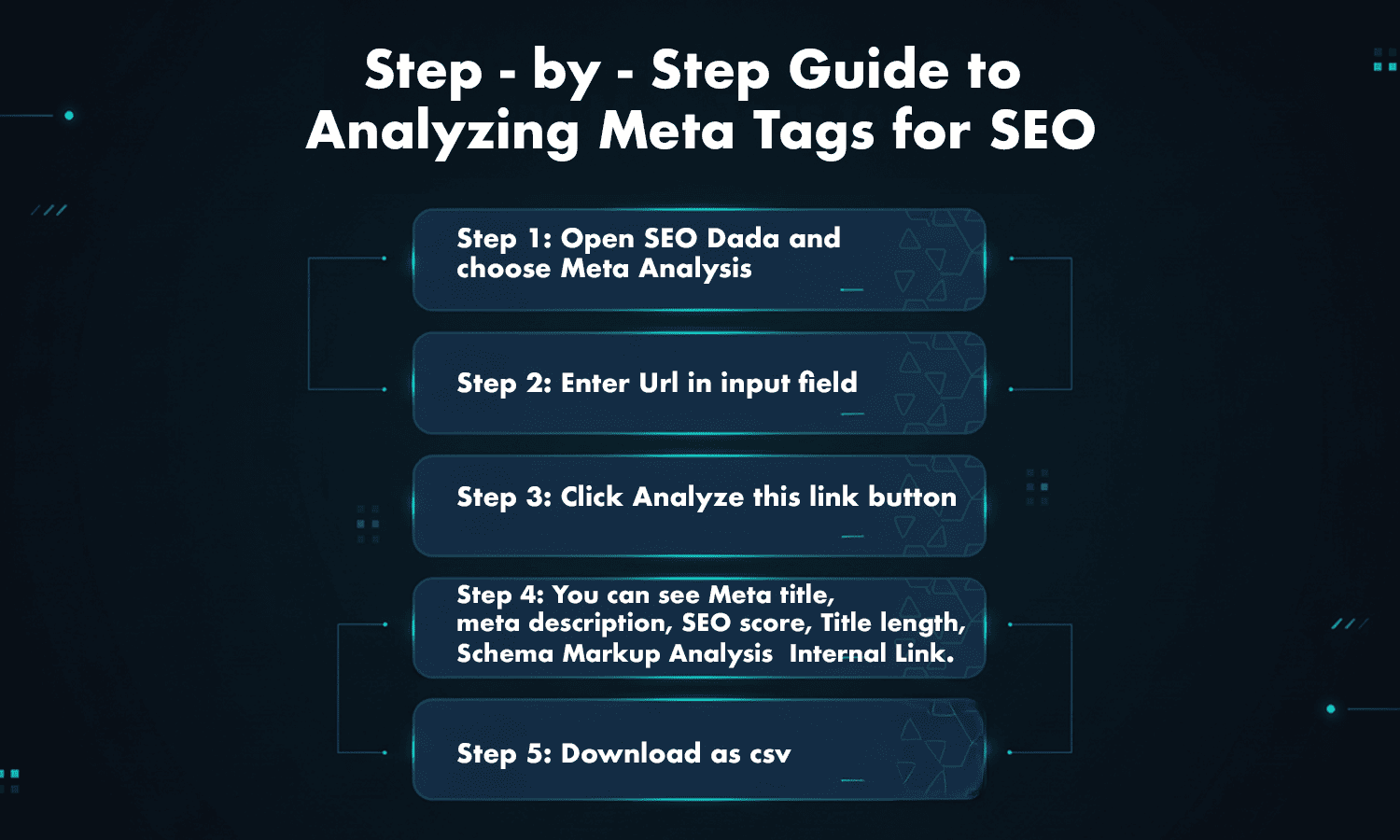
SEO Dada makes this simple. You paste a link, run the scan, and you get the key meta details in seconds.
Here is the basic process:
- Open SEO Dada and select Meta Analysis
- Paste the website page URL
- Click analyze
- Review your title, description, and other page signals
This works like a clean seo meta checker because it shows you exactly what the page is sending to search engines. If you are auditing multiple pages, it also helps as an seo meta tags checker so you can catch repeated tags, missing data, or weak titles faster.
You can also use it as a meta description analyzer to see whether the description is too long, too short, or simply not matching the page.
If your goal is to quickly check site meta tags without digging into code, this is one of the easiest ways to do it.
Common Mistakes to Avoid in Meta Titles and Descriptions
Even good websites make simple meta mistakes. Here are the ones you should watch for:
Titles that are too long or unclear
A long title may get cut off on Google. A vague title may not explain what the page offers.
Missing or duplicate tags
If pages share the same title and description, search engines can get confused about which page is the right one.
Descriptions that do not match the page
If the page content says one thing but the snippet promises something else, users bounce quickly.
Keyword forcing
It is okay to include a keyword, but it should sound normal. If the title feels robotic, people skip it.
That is why using an seo meta tag analyzer is helpful. It gives you a clear view of what is wrong, so you can fix it without guessing.