
Introduction
In 2026, Google’s search systems focus heavily on user experience. One of the first signals they read is your URL. SEO-Friendly URLs help search engines and users understand what a page is about before it loads.
During large-scale audits run on platforms like SEODADA, URL structure issues consistently appear among the top three technical problems. Many sites lose visibility not because of content quality, but because their links are too long, confusing, or poorly structured.
This guide walks you through SEO-Friendly URLs step by step, using practical examples and real audit observations so you know exactly what to fix and why it matters.
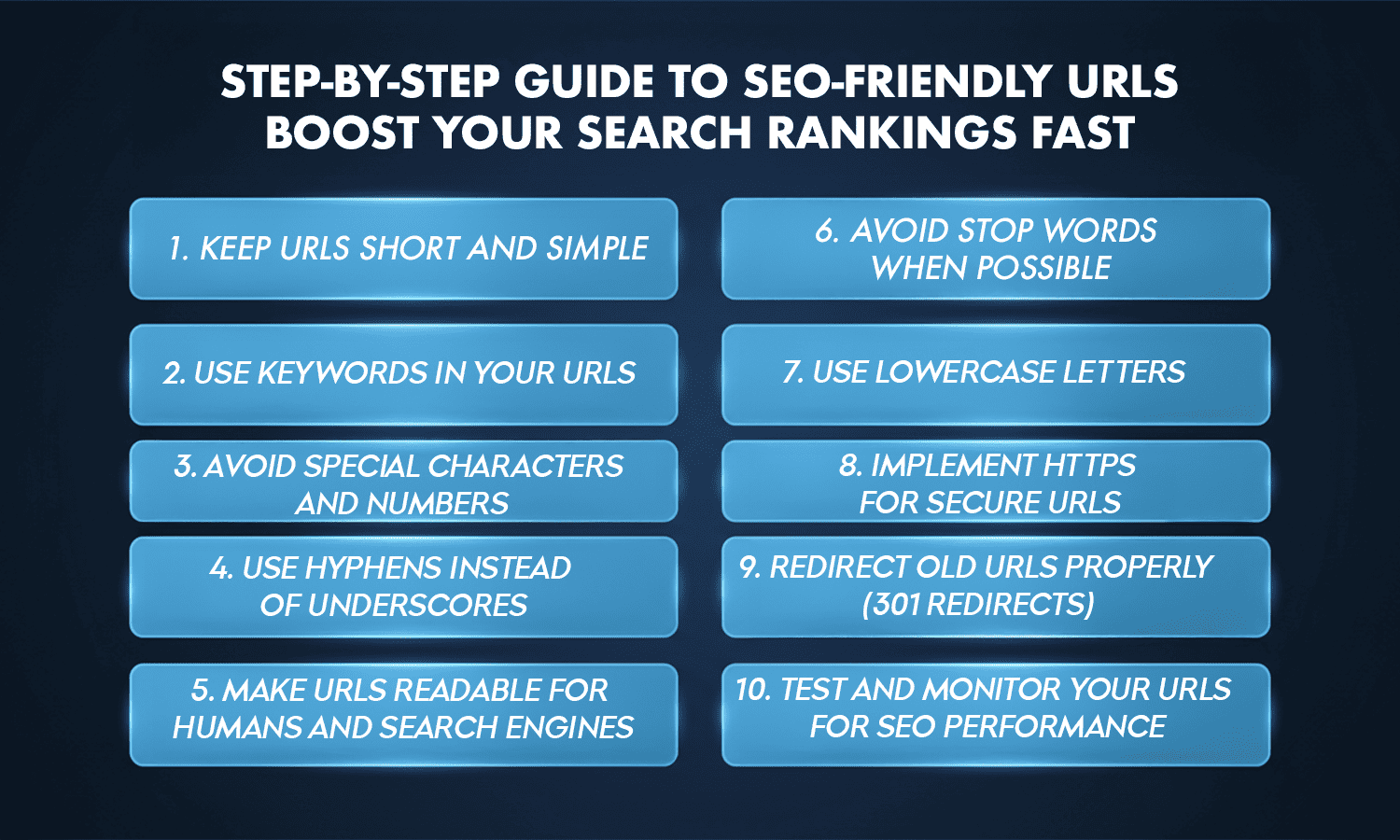
Step-by-Step Guide to SEO-Friendly URLs
1. Keep URLs Short and Simple
Short links are easier for users to read and for search engines to crawl. In audits of medium-sized websites, pages with URLs longer than 80 characters showed noticeably lower click-through rates compared to cleaner links.
SEO-Friendly URLs work best when kept under 60 characters. Removing extra folders, dates, and filler words makes links clearer and easier to share, especially on mobile where space is limited.
2. Use Keywords in Your URLs
The URL is one of the first places Google looks to understand relevance. SEO-Friendly URLs should include one clear keyword that matches the page topic.
For example, when a product page targeting “solar water pumps” used a generic URL, it struggled to rank. After aligning the keyword in the link and content, impressions improved within weeks. This shows how seo and url structure work together to send clear signals.
3. Avoid Special Characters and Numbers
Special characters like ?, %, or random ID numbers confuse users and search bots. During technical scans, links with dynamic parameters often triggered crawl warnings or indexing delays.
SEO-Friendly URLs rely on plain words. A clean text-based link looks trustworthy and avoids encoding issues that make URLs unreadable when shared.
4. Use Hyphens Instead of Underscores
Search engines treat hyphens as spaces but read underscores as one continuous word. That means SEO-Friendly URLs should always use hyphens to separate terms.
For example, a page targeting “green tea benefits” performed better after switching from underscores to hyphens, simply because the words became readable to both users and crawlers.
5. Make URLs Readable for Humans and Search Engines
A good test is simple: can someone understand the page just by reading the link? SEO-Friendly URLs avoid internal codes or vague labels.
In real audits, pages with readable URLs consistently saw better engagement. Clear links act like previews, increasing trust and clicks, which is a key trait of a search engine friendly url.
6. Avoid Stop Words When Possible
Stop words like “the,” “and,” or “of” add length without meaning. Removing them keeps SEO-Friendly URLs focused and compact.
That said, context matters. If removing a word changes meaning, keep it. The goal is clarity, not aggressive trimming.
7. Use Lowercase Letters
Many servers treat uppercase and lowercase URLs as different pages. This can accidentally create duplicate versions of the same content.
SEO-Friendly URLs always use lowercase to avoid indexing confusion and 404 errors caused by mistyped links. This small habit prevents hidden technical issues that often go unnoticed.
8. Implement HTTPS for Secure URLs
Security is a ranking and trust factor in 2026. Sites without HTTPS often see higher bounce rates because browsers warn users before the page loads.
SEO-Friendly URLs must use HTTPS to protect data and maintain credibility. In several audits, switching to HTTPS reduced immediate exits, improving overall page performance.
9. Redirect Old URLs Properly (301 Redirects)
When cleaning old URLs, deleting pages without redirects is risky. SEO-Friendly URLs rely on 301 redirects to pass existing authority safely.
In one case, a blog lost traffic after a URL change because redirects were skipped. After adding proper 301s, rankings stabilized within a short period. Redirects act as insurance when restructuring links.
10. Test and Monitor Your URLs for SEO Performance
Once URLs are fixed, they need monitoring. Tools that function as an seo friendly url checker help detect broken links, redirect chains, and blocked pages.
Regular checks ensure every seo optimized url stays healthy as new content is added. URL issues often return quietly if not monitored.
Key Takeaways
- SEO-Friendly URLs improve clarity and trust
- Short, readable links perform better on mobile
- Keywords, hyphens, and lowercase letters matter
- HTTPS and redirects protect existing rankings
- Monitoring prevents hidden SEO damage
Conclusion
Creating SEO-Friendly URLs is not about guessing or copying patterns. It’s about clarity, consistency, and regular checks.
As websites grow, manually tracking broken links, redirect chains, deep URLs, or indexing issues becomes almost impossible. This is where SEODADA plays a practical role.
SEODADA’s URL Analysis scans your entire site and shows exactly where URL structure is holding pages back, so you can fix problems early and keep your SEO foundation strong.