7 Website Headings Examples and How to Structure Them
By seodada · Published
Overview
Website headings are the H1 to H6 tags that label page sections. They tell readers and search engines what each part covers. This article gives seven website headings examples, each with a realistic outline and a note on when to use it. It also explains how to keep the order sound and which checks confirm the structure works.
Here is a preview of the seven examples: a service page, a product page, a how-to guide, a local business homepage, a comparison article, a category page, and a landing page. Each one shows a full H1 to H2 and H3 outline you can adapt to your own site.
Why do website headings examples matter for SEO?
Website headings form the outline of a page. Search engines use them to understand the topic and the main points. Screen readers let visitors jump between sections without reading every line. Good headings serve both groups at once.
Search engines read headings as a map of the page. A clear H1 followed by H2 sections shows which ideas matter most. Vague labels like more or Details give them little to work with.
Seven website headings examples
1. Service page Use this for one service a business sells.
- H1: Website SEO Audits for Small Businesses
- H2: What the audit covers
- H3: Technical issues and crawl errors
- H3: On-page content, headings, and structure
- H2: How the process works
- H2: Pricing and what you get
Best when a page must explain one offer clearly and move the reader toward a contact form.
2. Product page Use this for a single product in an online store.
- H1: Solar Water Pump 1.5 HP
- H2: Key specifications
- H3: Power rating and flow rate
- H3: Materials and build
- H2: Compatible uses
- H2: Delivery and returns
Best when shoppers compare specifications and need quick answers before buying.
3. How-to guide Use this for step-by-step instructional content.
- H1: How to check your website's Heading Structure
- H2: Before you start
- H2: Step 1: Find your H1
- H2: Step 2: Review your H2 and H3 levels
- H3: Spotting skipped levels
- H2: Common errors to fix
Best when readers follow a sequence and need to find the step they are on.
4. Local business homepage Use this for the front page of a business serving a specific area.
- H1: Plumbing Services in Austin, Texas
- H2: Emergency repairs
- H2: Drain cleaning and pipe repair
- H2: Service areas across Austin
- H2: Customer reviews
- H2: Book a visit
Best when the business needs visitors to see its location, services and a clear next action at once.
5. Comparison article Use this for pages that weigh two or more options.
- H1: Ranger vs Petrol Bike: Which Should You Buy
- H2: Quick verdict
- H2: Fuel cost and running expenses
- H2: Performance and comfort
- H3: Daily commuting
- H3: Long-distance riding
- H2: Who each option suits
Best when readers want a fair side-by-side view before deciding.
6. Category page Use this for a listing page that groups related items.
- H1: Garden Tools and Equipment
- H2: Hand tools
- H2: Power tools
- H3: Electric trimmers
- H3: Petrol lawnmowers
- H2: Buying tips
Best when visitors browse many items and need clear groupings to narrow their choice.
7. Landing page Use this for a focused page built around one campaign or offer.
- H1: Free SEO Heading Check for your site
- H2: What you get
- H2: How it works in three steps
- H2: Frequently asked questions
Best when the page has one goal and every section should push the reader toward a single action.
How to structure headings in order
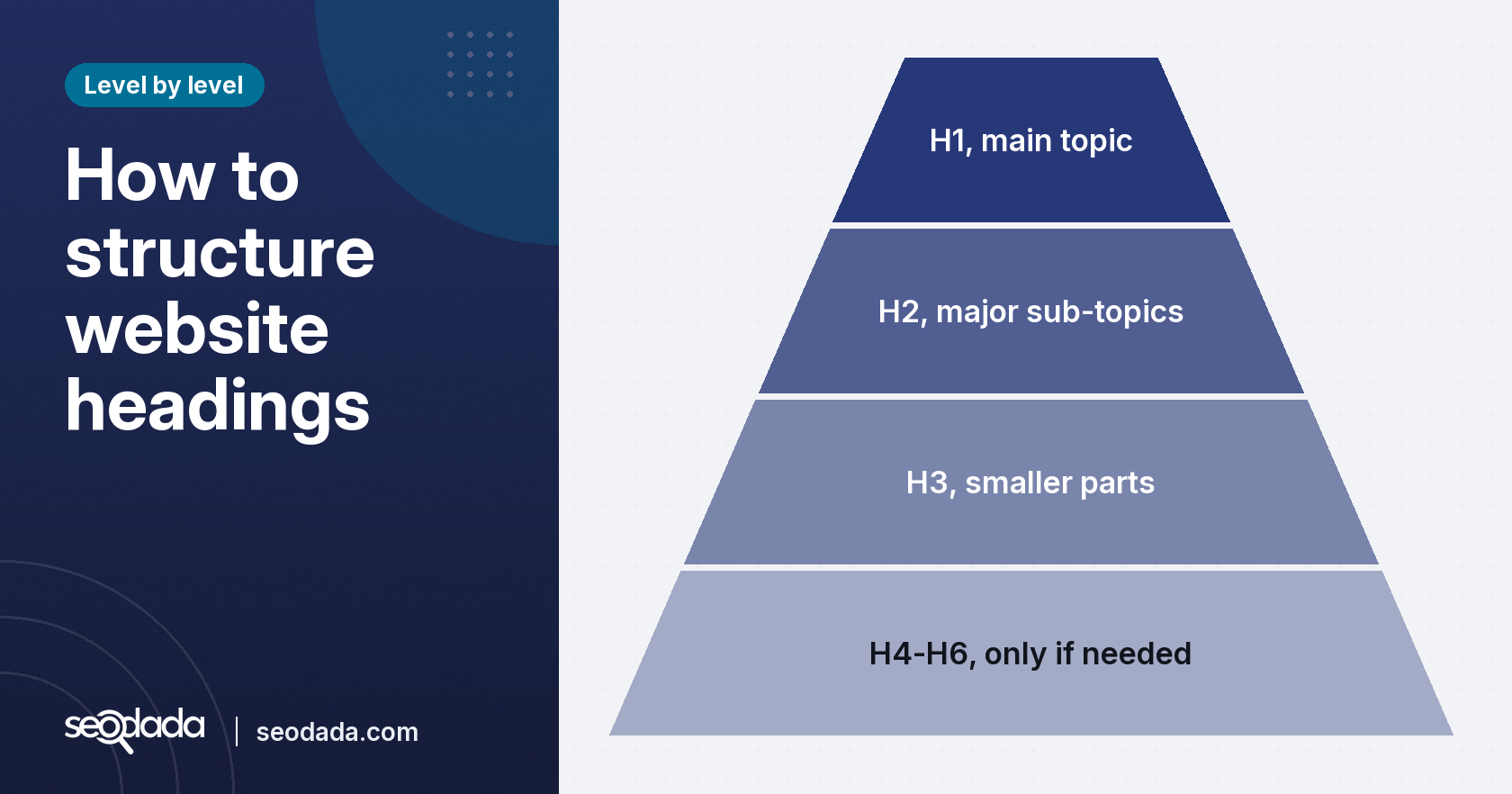
Every page needs one H1 that states the main topic. This is the title of the page as a reader sees it. The H1 should match what the page actually covers, not what you wish it covered.
H2 headings split the H1 topic into major sub-topics. Each H2 should cover one distinct part of the page. Readers scan H2s first to decide where to read, so make them descriptive.
H3 to H6 headings break down H2 sections into smaller parts. Do not skip levels. An H2 followed directly by an H4 breaks the outline, and this can cause issues. Use an H4 only when the hierarchy truly needs it. Many pages get by with H2 and H3 alone. Across the web, blazehive.io reports that H2 headings appear on 72% of desktop pages, H3 on 60% and H4 on 37%, based on the HTTP Archive Web Almanac from January 2026.
Write headings for the reader first. Avoid keyword stuffing. A heading with near-identical terms looks like spam to people and models. seodada's On-Page Analysis tool checks keyword density and topical focus, so you can see if a page relies too much on one term.
Check your heading structure with seodada's free tool
The free Heading Tag Checker builds a page's heading outline and shows it as marked up. You see the heading tree in order, from H1 down to H6. The tool flags a missing or duplicated H1 and any skipped level. You can filter and search the outline to find a heading on a long page. It often requires no setup or login.
Run the check after each major edit. A heading that looked fine in a draft can break once a section is moved or a new H2 is added.
Common mistakes to avoid with website headings
- No H1. Without a main heading, the page has no clear topic label. Screen readers lose the top level of the outline, and search engines have less to work with.
- Multiple H1s. A second H1 blurs the main topic. It is tolerated in HTML5 but makes the page harder to parse.
- Skipped levels. An H2 followed by an H4 breaks the hierarchy. Screen reader users may think a section is gone.
- Headings used for styling. Some sites pick a heading tag because it looks large, not because it fits the structure. This misleads both readers and crawlers about what matters.
- Keyword-stuffed headings. Headings packed with near-identical terms read as spam and give no real signal about the section.
Check your page against this list before you publish. The Heading Tag Checker catches the structural faults in seconds.
Key takeaways
- Use one clear H1 that states the page's main topic.
- Break the topic into descriptive H2s, and add H3s where a section has distinct parts.
- Never skip a heading level, such as H2 straight to H4.
- Pick an example outline that matches your page type, such as a service, product, or guide.
- Write headings for readers first, and avoid keyword stuffing.
- Check the outline with seodada's free Heading Tag Checker after each edit.
Conclusion
Good website headings give a page a clear outline. They let readers scan and help search engines. Start from one of the seven examples that matches your page type, keep one H1, use descriptive H2s and H3s, and keep the levels in order. Then check the result with seodada's free Heading Tag Checker before you publish.
Related: Free Meta Title and Description Checker
Sources
FAQs
How many H1 tags should a webpage have?
One is the safest choice. It names the main topic and keeps the page easy to parse for search engines and screen readers. HTML5 tolerates more, but a single H1 avoids confusion.
What is the difference between H1 and title tag?
The H1 is the visible heading on the page. The title tag is the text in the page's HTML head, which often appears in search results and browser tabs. They can match, but they serve different jobs.
Do headings affect SEO?
Headings help search engines understand page structure and topic. They also improve accessibility and readability, which supports how to people engage with the page. They are one signal among many, not a ranking shortcut.
What is the best practice for heading tags?
Use one H1, descriptive H2s and H3s, and keep the levels in order. Write for the reader and avoid stuffing keywords into headings.
Can I use H4 without H3?
Avoid it. An H4 without an H3 above it skips a level and breaks the outline. Use H3 under H2, then H4 under H3.
How do I choose the right heading tags?
Start from the content. The page topic becomes the H1, the main sections become H2s, and the parts within each section become H3s. Pick the tag by its place in the outline, not by its size on screen.
Frequently asked questions
How many H1 tags should a webpage have?
One is the safest choice. It names the main topic and keeps the page easy to parse for search engines and screen readers. HTML5 tolerates more, but a single H1 avoids confusion.
What is the difference between H1 and title tag?
The H1 is the visible heading on the page. The title tag is the text in the page's HTML head, which often appears in search results and browser tabs. They can match, but they serve different jobs.
Do headings affect SEO?
Headings help search engines understand page structure and topic. They also improve accessibility and readability, which supports how to people engage with the page. They are one signal among many, not a ranking shortcut.
What is the best practice for heading tags?
Use one H1, descriptive H2s and H3s, and keep the levels in order. Write for the reader and avoid stuffing keywords into headings.
Can I use H4 without H3?
Avoid it. An H4 without an H3 above it skips a level and breaks the outline. Use H3 under H2, then H4 under H3.
How do I choose the right heading tags?
Start from the content. The page topic becomes the H1, the main sections become H2s, and the parts within each section become H3s. Pick the tag by its place in the outline, not by its size on screen.