Write Meta Titles and Descriptions That Get Clicks
By seodada · Published
Overview
Meta titles and descriptions are the short headline and summary that show up for your page in search results. They help a searcher decide if they should click your link. This guide explains what each element does, how to write strong versions of both, and how to preview and fix them with seodada's free Meta Title and Description Checker before you publish.
The steps below apply to any page on any site. Use them for a single website or a portfolio of client sites.
The phrase "meta title and description" refers to two page elements that shape how a page appears in search
The title is the clickable headline. The description is the summary text under it. Together, they work like ad copy for your page.
Strictly speaking, the title is a title tag, not a meta tag. It still does the same job and tells search engines and readers what the page covers. The description is a true meta tag placed in the page head.
What are meta titles and descriptions?
The title tag is the page's title element, and it is often used for the headline in the results list and the browser tab. The meta description is a separate tag that can be used for the one or two lines of text beneath the title, though search engines may show other page text instead. Search engines may generate a snippet from page content relevant to the query, or rewrite the title. Clear, accurate wording gives your message the best chance of appearing as written.
Think of the pair as a short pitch. The title names the topic, and the description gives the reason to click.
Why are meta titles and descriptions important for SEO?
Titles and descriptions can affect if people click your result after they see it A clear, specific listing gives searchers a reason to choose your page, no matter its position.
A well-written pair can also attract attention when your page is not in the top spot. It also sets expectations. When the title and description match the page, visitors arrive knowing what they will find.
Step 1: Check your current meta title and description
Before rewriting, see what is already live. Note which titles are cut off, which descriptions are missing, which titles repeat across pages, and where keywords are weak or absent.
seodada's free Meta Title and Description Checker pulls every tag that controls how a page appears, including the title, description, canonical tag, Open Graph and Twitter card tags, and any JSON-LD schema. It then renders Google and social-card previews, so you can see the result before your audience does. For a broader walkthrough of the audit itself, see How to Check Meta Titles and Descriptions for Any Website.
Step 2: Craft an effective meta title
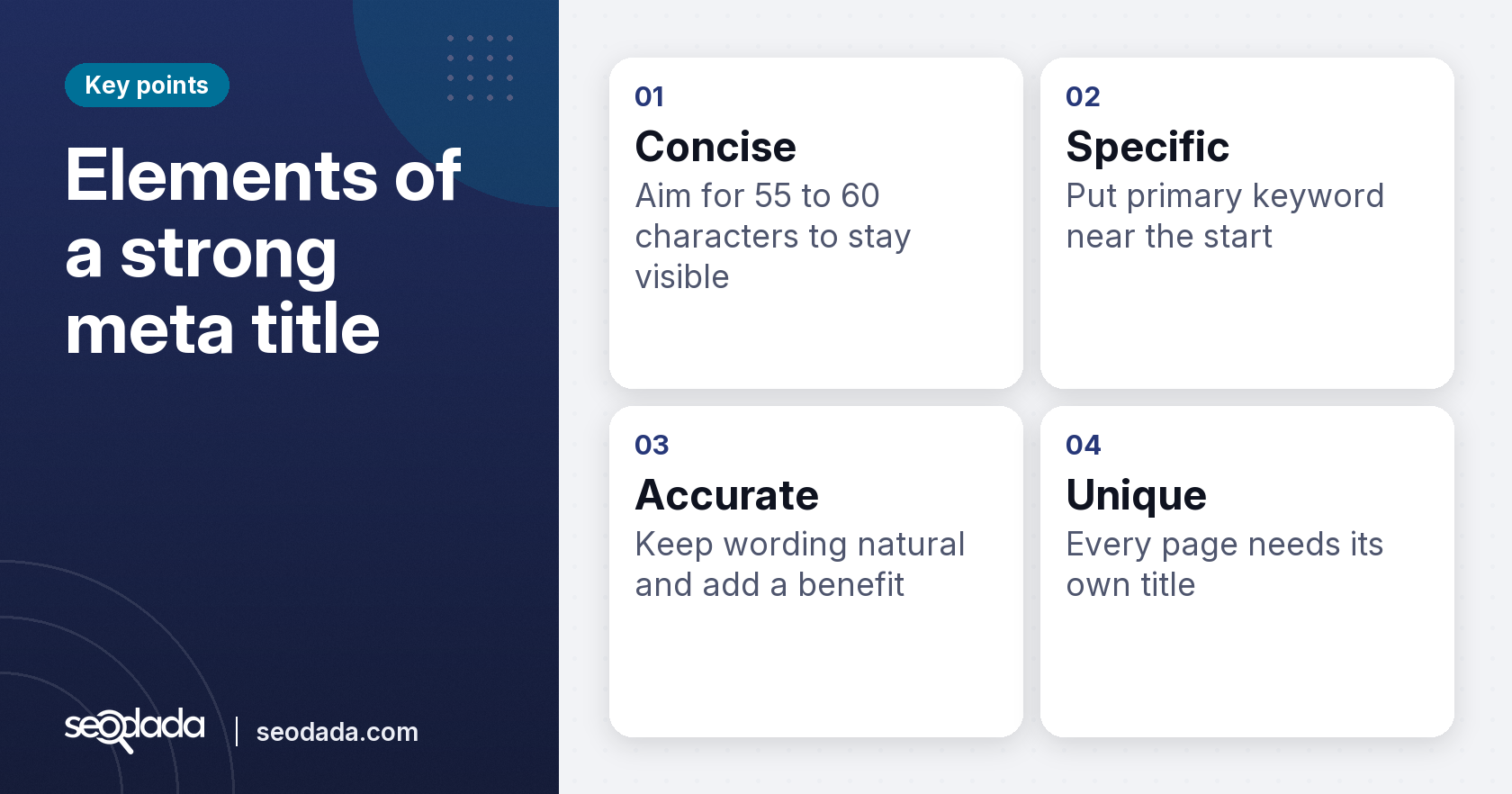
A strong meta title is concise, specific and accurate. Display and truncation can vary, so treat this as a guide rather than a guarantee. Longer titles still work, but the end may be cut.
Put your primary keyword near the start where you can. Keep the wording natural, and add a benefit or a clear reason to click if it fits. Every page needs its own title.
Examples by page type
- Product page: "Solar Pump Subsidy Guide for Maharashtra Farmers"
- Blog post: "How to Fix a Low SEO Score: 10 Practical Steps"
- Service page: "Free Website SEO Audit for Small Businesses"
Each example puts the topic first. It adds a specific angle.
Step 3: Write a compelling meta description
The meta description expands on the title. Keep it concise so it displays fully in search results. Describe what the page delivers and use your primary keyword and related terms where they read naturally.
A call to action helps when it suits the page. Words like "compare", "check", or "see the steps" tell readers what to do next. Avoid stuffing the description with keywords.
Examples:
- "Learn how to write meta titles and descriptions that earn clicks. Follow the steps and preview your tags before you publish."
- "Check your page's title, description and social previews in one scan. See where your text gets cut off."
A vague description wastes a good position. If your page ranks well, but the summary says nothing useful, many searchers will choose a competitor.
Step 4: Choose between alternatives and evaluate them after publishing
Often you will have two or three candidate titles or descriptions for the same page. Pick the one that names the page's actual topic most plainly, fits the length guidance, and makes a promise the page keeps. Avoid the option that sounds cleverest but would surprise a reader who lands on the page.
Preview your finalists with seodada's Meta Analysis tool. The Google snippet shows where each field truncates, and the social previews show how a shared link will look. Fix any cut-off or missing image before you publish.
After publication, evaluate the choice in your search performance data. Compare impressions and click-through rate for the page over several weeks against its earlier results, and look at which queries bring the clicks. If clicks are low despite a strong position, rewrite the description to match the searcher's intent more closely, then compare again. Change one element at a time so you can tell which edit made the difference.
| Element | Target length | Main goal |
|---|---|---|
| Meta title | 55 to 60 characters | Name the topic early |
| Meta description | 140 to 160 characters | Give a reason to click |
| Open Graph image | Present | Clean social card |
Related: Keyword Research Tool: Volume, Difficulty, Intent
Common mistakes to avoid with meta titles and descriptions
Several errors weaken otherwise good pages.
Keyword stuffing. Repeating a phrase several times makes the text read like spam. Use the keyword once, in a sentence a person would write.
Excessive length. Long titles and descriptions get cut off. Your key message may disappear mid-word.
Generic phrasing. Lines such as "Welcome to our website" tell the reader nothing. Be specific about what the page offers.
Duplicate titles and descriptions. Reused text across pages blurs which page matches a query. Write a unique pair for each page.
Missing meta descriptions. Without one, search engines may generate a snippet from other page content, and you lose a chance to shape the message.
Mismatched content. The title and description should describe what the page actually contains. When they promise something else, visitors feel misled and are less likely to trust the site.
Key takeaways
Meta titles and descriptions are the headline and summary that appear in search results. Clear, accurate tags can influence clicks. Keep both tags concise so they display well. Preview them and social cards with seodada's free checker, then refine and re-scan. Give every page a unique, honest pair of tags that match its content.
Conclusion
Strong meta titles and descriptions help the right people choose your page. Review your content and produce unique, specific tags according to the length rules Preview them before you publish. After launch, compare results over time and adjust one element at a time. The free Meta Title and Description Checker lets you do the preview work in one place, at no cost.
FAQs
What is a meta title and meta description example?
A meta title might read "Free Website SEO Audit for Small Businesses". The matching description could read "Check your page's title, description and social previews in one scan." Both are short, specific and match the page.
How to see meta title and description?
Paste the page address into seodada's free Meta Title and Description Checker. It displays the title and description it finds, plus Google and social-card previews, with no account needed.
What's a good meta title?
A good meta title is about 55 to 60 characters as a starting point, names the topic early, and is unique to its page. It should accurately describe what the reader will find.
What is my meta title?
Your meta title is the text inside the title tag of your page. You can view it in the browser tab, or run your URL through a checker to read the tag directly.
What is the meta title and description HTML?
The title goes in a <title> element within the page head. The description goes in a <meta name="description" content="..."> tag, also in the head.
Is there a free way to check meta titles and descriptions?
Yes. seodada's free Meta Title and Description Checker reads your existing tags and shows previews of how they will look and where they may be cut off. It needs no sign-up, so you can adjust the wording yourself.
Frequently asked questions
What is a meta title and meta description example?
A meta title might read "Free Website SEO Audit for Small Businesses". The matching description could read "Check your page's title, description and social previews in one scan." Both are short, specific and match the page.
How to see meta title and description?
Paste the page address into seodada's free Meta Title and Description Checker. It displays the title and description it finds, plus Google and social-card previews, with no account needed.
What's a good meta title?
A good meta title is about 55 to 60 characters as a starting point, names the topic early, and is unique to its page. It should accurately describe what the reader will find.
What is my meta title?
Your meta title is the text inside the title tag of your page. You can view it in the browser tab, or run your URL through a checker to read the tag directly.
What is the meta title and description HTML?
The title goes in a <title> element within the page head. The description goes in a <meta name="description" content="..."> tag, also in the head.
Is there a free way to check meta titles and descriptions?
Yes. seodada's free Meta Title and Description Checker reads your existing tags and shows previews of how they will look and where they may be cut off. It needs no sign-up, so you can adjust the wording yourself. Related: XML Sitemap Checker and Site Structure Graph